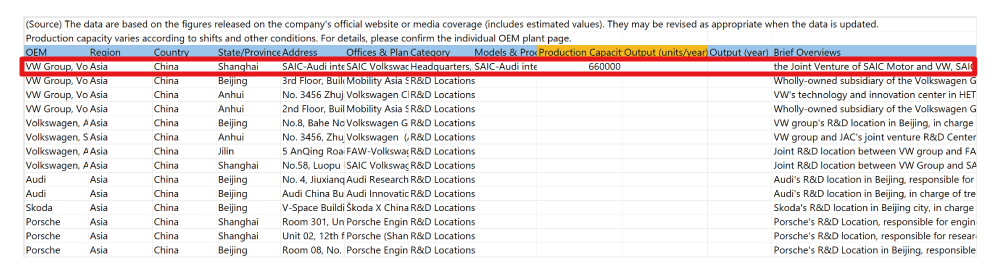

How to seach locations for vehicle manufacturers
You can search for information such as location by specifying the country, region, manufacturer or type of location.
Example 1:Search for electrified vehicle plants for Mercedes-Benz in Germany
- Open the search screen.
https://www.marklines.com/en/global/search - Select the country, manufacturer name, type of location (Display EV / PHEV / HEV / FCV plants only) you would like to search.
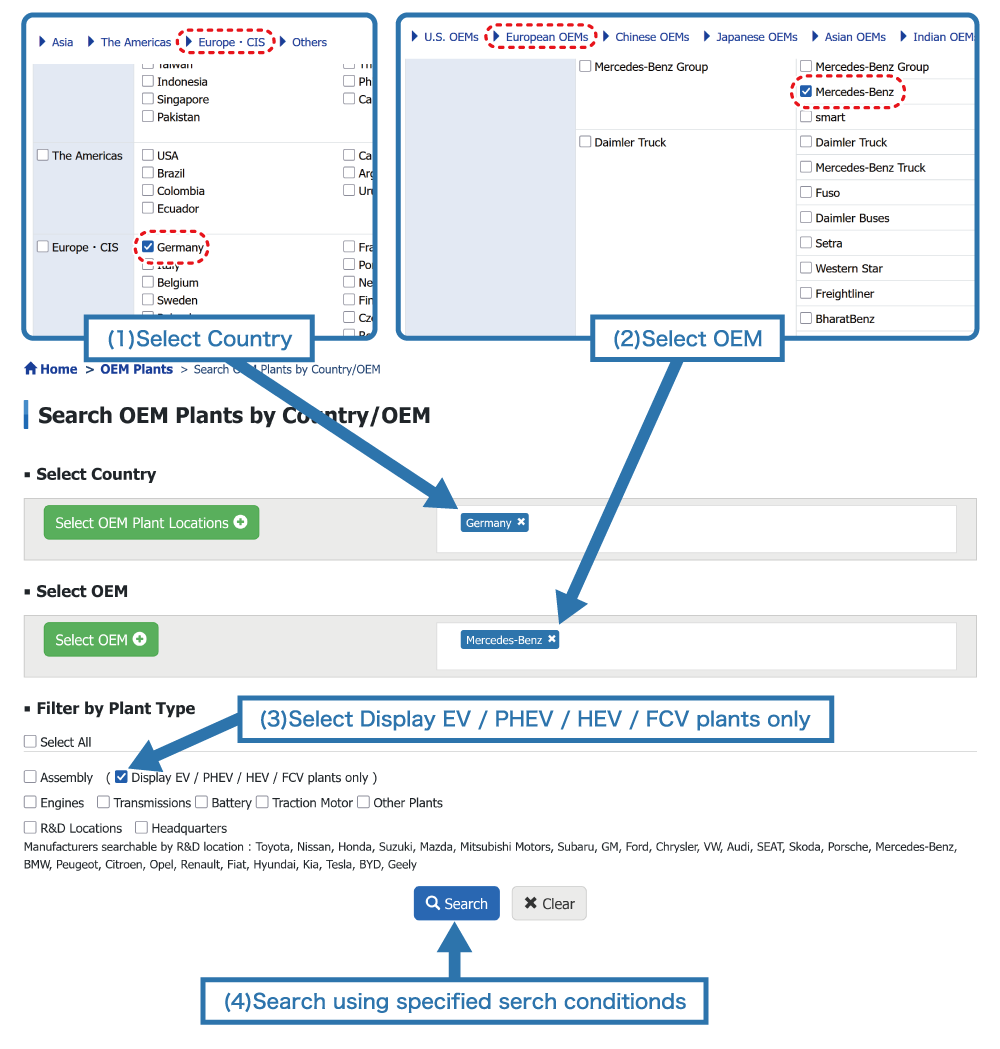
Select relevant country, manufacturer and location type for (1), (2) and (3) categories respectively.
You can select more than one item from each category. - Click "Search" to perform a search with these conditions.
Example 2: Search for battery plants for Volkswagen in China
- Open the search screen.
https://www.marklines.com/en/global/search - Select the country, manufacturer name, type of location (battery) location you wish to search.
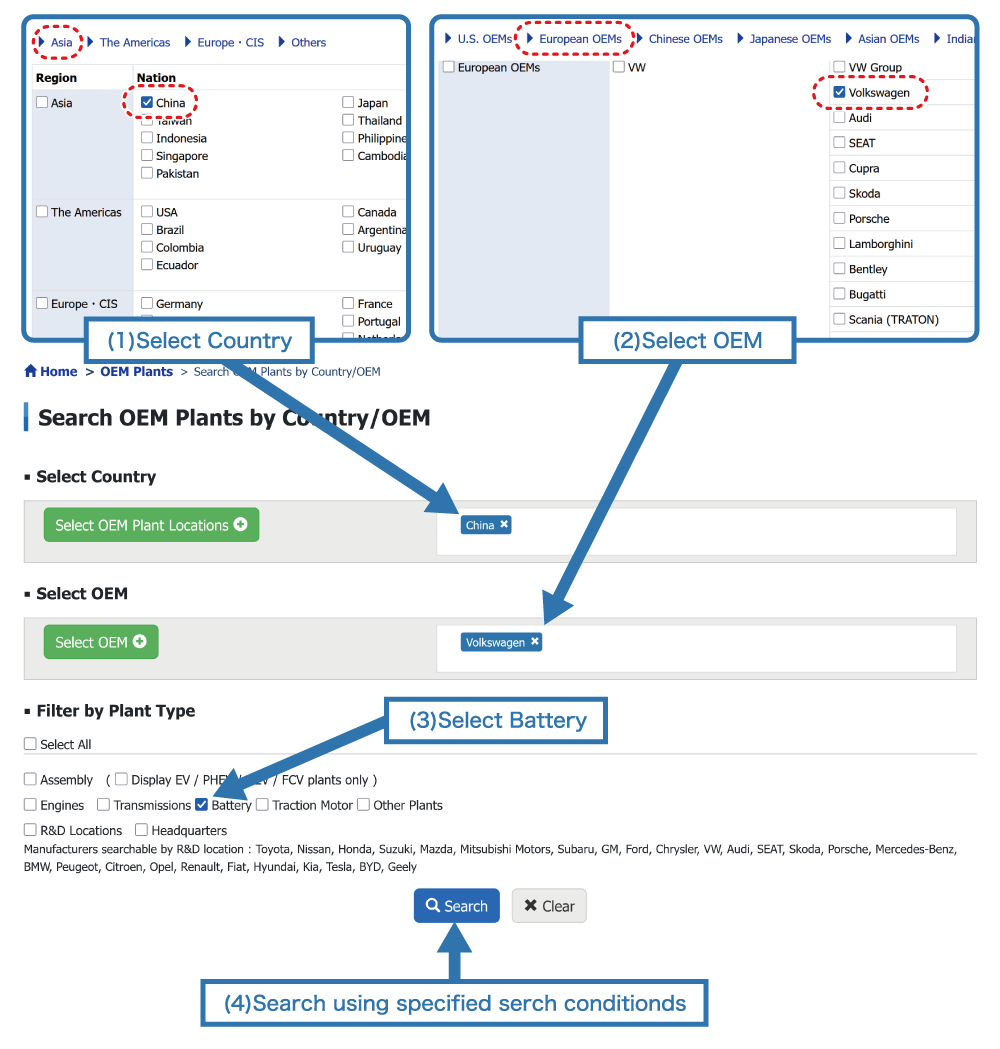
Select relevant country, manufacturer and location type for (1), (2) and (3) categories respectively.
You can select more than one item from each category. - Click "Search" to perform a search with these conditions.
Example 3:Search for R&D locations for VW Group (Volkswagen, Audi, SEAT, Skoda, Porsche) in China
- Open the search screen
https://www.marklines.com/en/global/search - Select the country, manufacturer name, type of location (R&D) location you wish to search.
Manufacturers searchable by R&D location:
Toyota, Nissan, Honda, Suzuki, Mazda, Mitsubishi Motors, Subaru, GM, Ford, Chrysler, VW, Audi, SEAT, Skoda, Porsche, Mercedes-Benz, BMW, Peugeot, Citroen, Opel, Renault, Fiat, Hyundai, Kia, Tesla, BYD, Geely

Select relevant country, manufacturer and location type for (1), (2) and (3) categories respectively.
You can select more than one item from each category. - Click "Search" to perform a search with these conditions.
Undertstanding the search results
The results are displayed as follows:
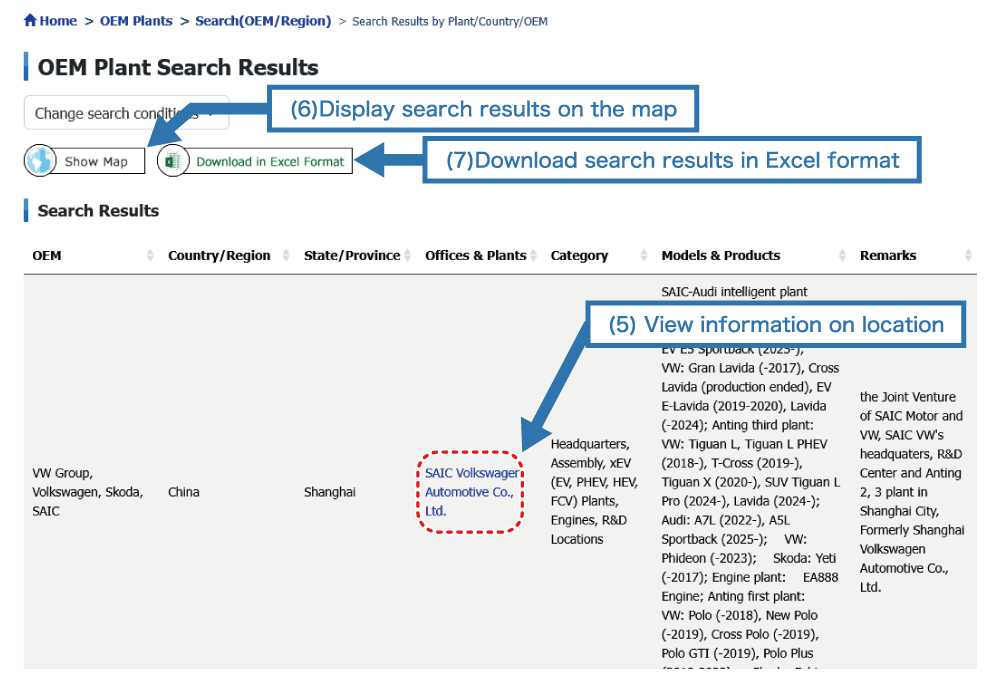
- (5) View information on location: Information on target location is displayed
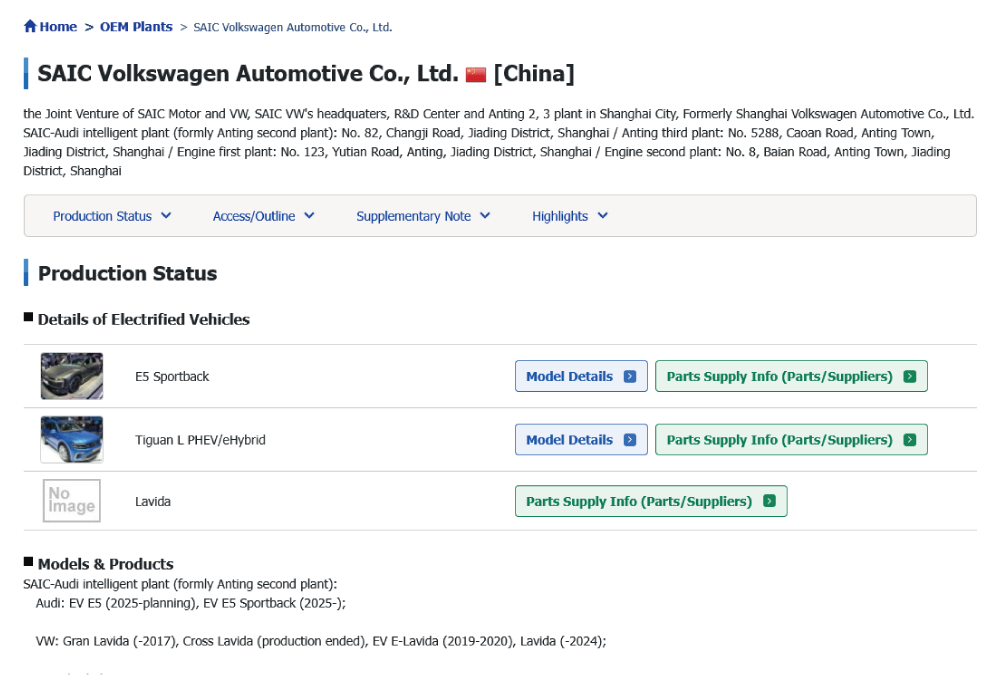
- (6) Displaying search results on the map: Search result for location will be displayed on the map
Hovering over the pin icon with your cursor will display the location name.
To find the desired location, you can use the zoom and pan controls in the lower right corner of the map.
Click Details under the displayed location name.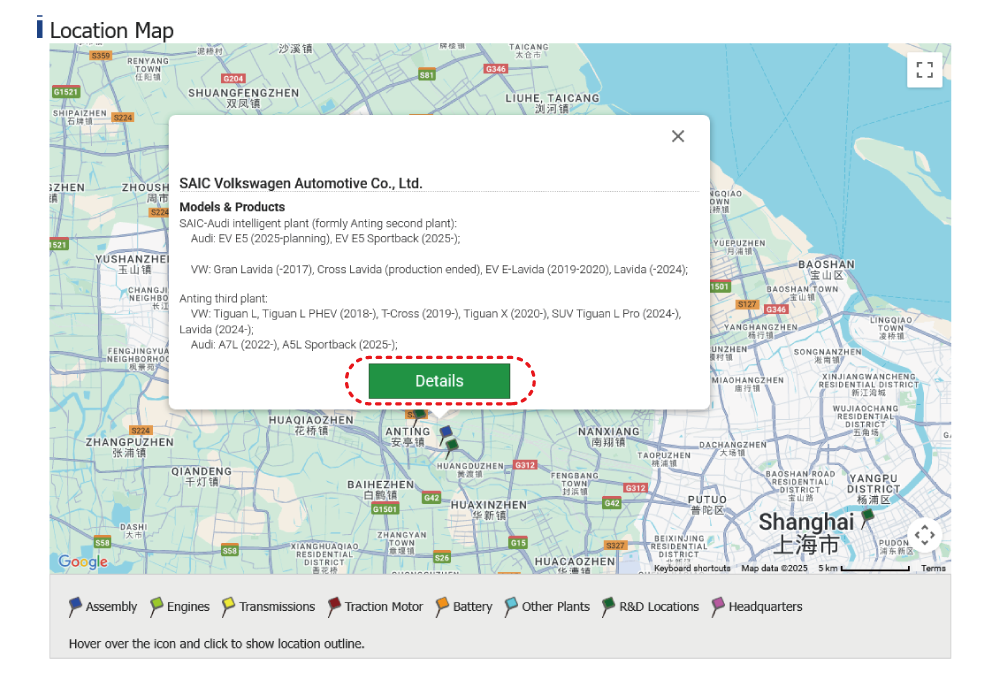
- (7) Download search results in Excel format: It is possible to download location data in Excel format as displayd below.