


 login
login







How to check the emails you are receiving
After logging in, please check your email distribution settings under "Settings" at the top right of the screen.
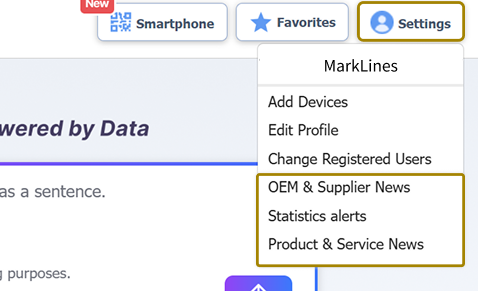
There are four types of email notifications available:

If you wish to change your settings, please click the confirm button to save your changes.
If you are unable to view your settings or login, please contact Customer Support at support@marklines.com.
 Japan
Japan +81-3-4241-3907

 USA
USA Mexico
 Germany
 China (Shanghai)
 Thailand
 India
India
 free for 1 week
 Online Demo